AI Data Extraction for Automated Document Processing: A Smarter Way to Manage Business Data
Businesses handle large volumes of invoices, contracts, forms, purchase orders, and customer records every day. Manually extracting information from these documents takes time and increases the risk of errors. AI data extraction for automated document processing helps businesses identify, capture, and organize important information from documents with greater speed and accuracy. It reduces repetitive work, improves data quality, and allows teams to focus on more valuable business activities.
What Is AI Data Extraction for Automated Document Processing?
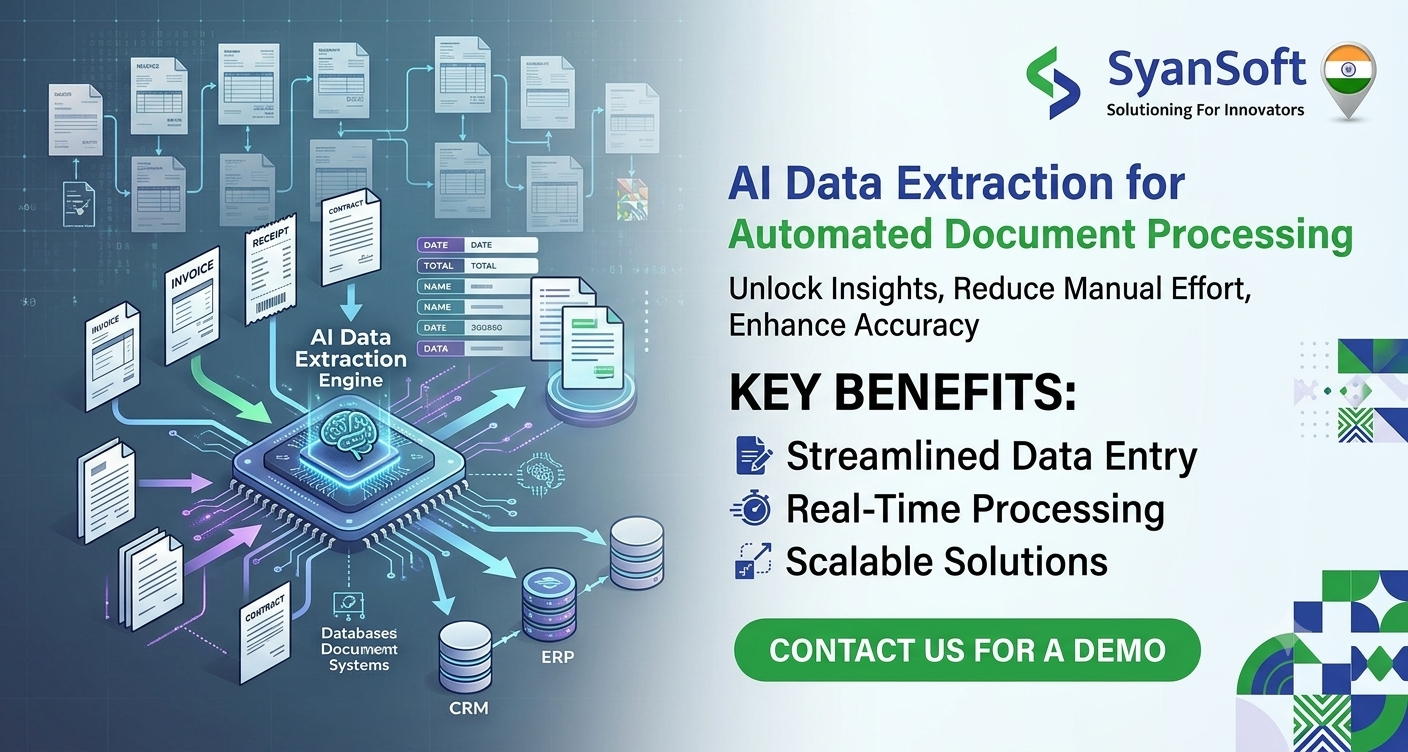
AI data extraction is the use of artificial intelligence (AI), machine learning (ML), and optical character recognition (OCR) to identify and retrieve relevant information from digital and scanned documents. It converts unstructured document content into structured data that business applications can process.
Unlike traditional manual data entry, AI-powered solutions can recognize document layouts, identify important fields, understand context, and process different document formats. Depending on the solution, they can also flag missing information and route uncertain results for human review.
Businesses can explore AI Data Extraction capabilities to understand how AI-driven solutions can support document processing and business automation.
How Does AI-Powered Document Processing Work?
Automated document processing generally follows these steps:
- Document collection: The system receives documents from emails, cloud storage, scanners, or business applications.
- Text recognition: OCR converts text in scanned documents and images into machine-readable content.
- AI-based identification: Machine learning and language models identify relevant fields, such as invoice numbers, dates, customer names, and payment amounts.
- Data validation: The extracted information is checked against predefined rules, reference data, or business records.
- System integration: Validated data is transferred to ERP, CRM, accounting, or other business applications.
- Human review: Documents with missing, inconsistent, or low-confidence information are sent for verification when required.
This workflow helps businesses reduce manual effort while maintaining appropriate oversight and data quality.
Key Benefits of AI Data Extraction
AI-driven document automation offers several practical advantages for organizations.
- Reduced manual data entry: Automates repetitive information extraction tasks.
- Faster document processing: Helps teams process large document volumes more efficiently.
- Improved data accuracy: Validation rules and exception handling help identify errors before information enters business systems.
- Lower operational costs: Reduces time spent on repetitive administrative tasks.
- Better scalability: Supports increasing document volumes without requiring the same growth in manual processing effort.
- Improved data accessibility: Converts document information into structured data for reporting, analysis, and business decisions.
Actual results depend on document quality, workflow complexity, integration requirements, and the level of human review involved.
Common Business Use Cases
AI data extraction can support document-heavy workflows across multiple industries.
Finance and Accounting
Extract invoice details, tax information, payment terms, and purchase order numbers to support accounts payable and reconciliation workflows.
Banking and Insurance
Capture information from application forms, claims, identity documents, and supporting records while routing exceptions for review.
Healthcare Administration
Extract relevant administrative information from registration forms, referrals, and billing documents, subject to applicable privacy and security requirements.
Human Resources
Process resumes, employee forms, onboarding documents, and other records to reduce repetitive administrative tasks.
Supply Chain and Logistics
Capture shipment details, delivery information, purchase orders, and supplier data to improve operational visibility.
Best Practices for Implementing AI Document Automation
Successful implementation requires more than selecting an AI tool. Businesses should begin by identifying document-heavy processes with clear automation opportunities.
- Start with a high-volume, repetitive workflow.
- Define the required data fields and validation rules.
- Test the solution using representative document samples.
- Integrate extraction workflows with existing business systems.
- Apply role-based access, encryption, and appropriate data retention policies.
- Monitor extraction accuracy, processing time, exception rates, and human review requirements.
A phased rollout helps organizations identify limitations early and improve performance before expanding automation across departments.
How SyanSoft Can Help With AI-Powered Automation
SyanSoft Technologies provides AI-focused technology solutions that businesses can explore when planning intelligent automation initiatives. AI-powered document processing can help organizations connect document information with existing business workflows, reduce repetitive tasks, and make operational data more accessible.
By assessing current processes, document types, integration needs, and security requirements, businesses can identify suitable opportunities for AI adoption. Explore SyanSoft's AI Innovation Solutions to learn more about AI-driven approaches for business transformation.
Conclusion
AI data extraction for automated document processing helps businesses transform unstructured documents into usable, structured information. By combining OCR, machine learning, intelligent validation, and business system integration, organizations can streamline document-heavy workflows and reduce manual effort. A well-planned implementation, supported by data security controls and human oversight, can create a more efficient and scalable approach to document management.
Frequently Asked Questions
1. What is AI data extraction?
AI data extraction uses artificial intelligence to identify and retrieve relevant information from documents, images, forms, and other data sources.
2. How does AI automate document processing?
It combines OCR, machine learning, and other AI techniques to recognize text, extract important fields, validate information, and transfer structured data into business systems.
3. What types of documents can AI process?
Depending on the solution, AI can process invoices, receipts, contracts, purchase orders, application forms, claims, and scanned business records.
4. Is AI data extraction more accurate than manual data entry?
AI can reduce repetitive data-entry errors, but accuracy depends on document quality, model performance, and validation rules. Human review remains useful for complex or uncertain cases.
5. Can AI data extraction integrate with ERP and CRM systems?
Yes. AI data extraction solutions can integrate with ERP, CRM, accounting, and document management systems through APIs, connectors, or other supported integration methods.


Comments
Post a Comment